Transpose a song to your key on iPhone (change pitch, keep the tempo)
The recording is in E. You sing it in D. Or your guitar is tuned down a half step and you don't feel like retuning. Or the old record is a quarter tone flat and nothing lines up. Practice Player can shift the pitch of a song without touching the speed. One catch: it only works on songs the app can read as a file.
Why you'd change the key
- Singers. The song sits two semitones above where your voice lives. Drop it two and sing it the way you want.
- Capo players. The record is in F sharp, your chords are in E with a capo on 2. Shift it down and play open.
- Detuned recordings. A lot of old records run a little sharp or flat. A few cents fixes it.
- Instruments that aren't at concert pitch. Shift the song to the instrument instead of the other way around.
Shift by semitones or cents
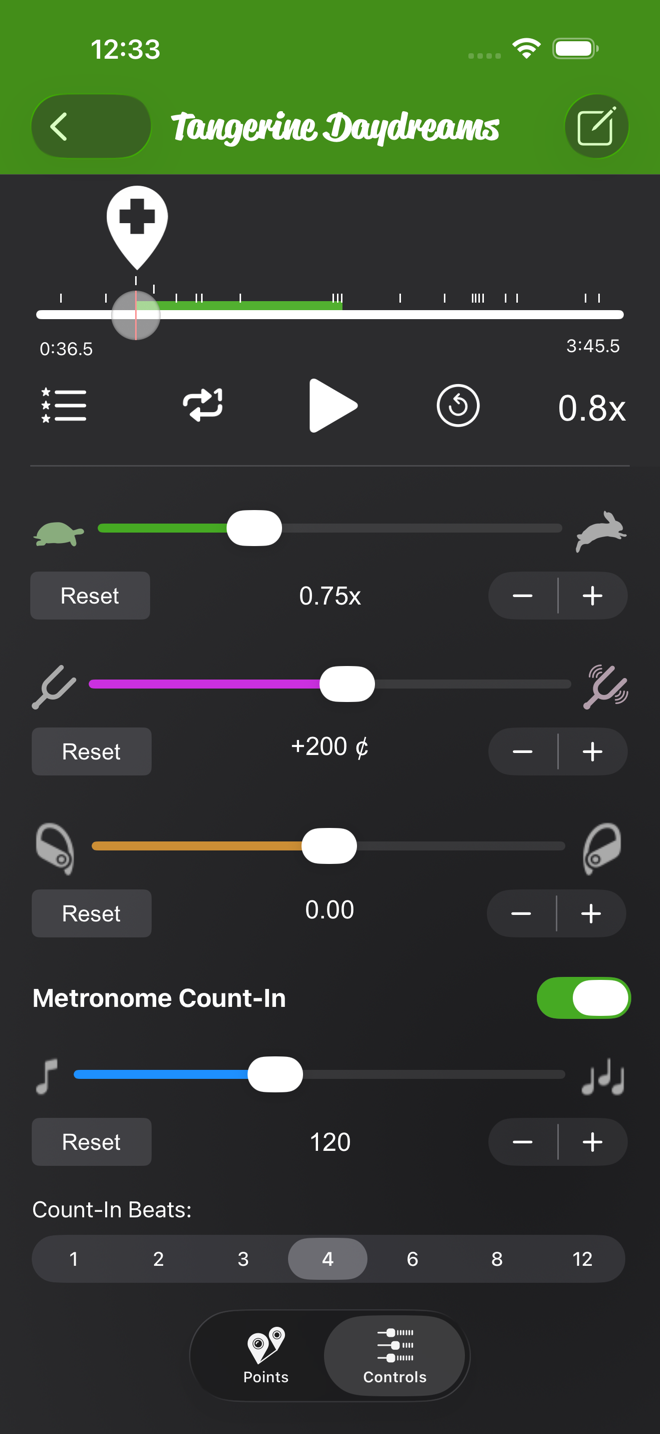
- Open the song and tap Controls.
- The second slider is pitch, with a tuning fork at each end. Drag it, or use the minus and plus buttons to step.
- The readout shows where you are, like +200 ¢ for two semitones up (or +2 st if you switch the units to semitones). Reset puts it back to zero. The range is two octaves each way.
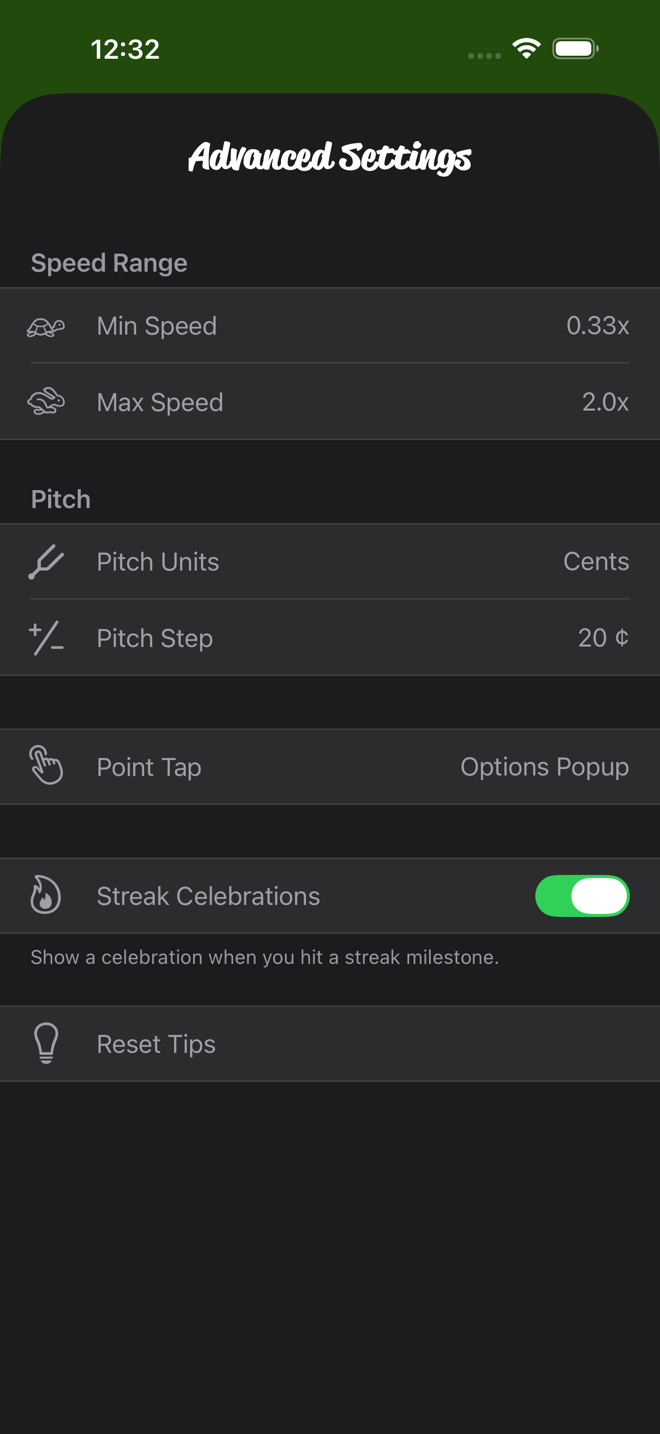
In Advanced Settings, under Pitch, you can set the units to Semitones or Cents. You can also pick the Pitch Step the buttons use: 1 to 100 cents (the default is 20), or 0.1 to 2 semitones. A singer switches to semitones and steps in whole ones. A tuner stays in cents and nudges. With semitones on, Pitch Display can show decimals, fractions, or semitones plus cents.
Which songs you can pitch shift
Pitch shifting needs the actual audio, so Practice Player can do it on:
- Files you import, from the Files app or another app.
- Recordings you make in Practice Player.
- Songs you bought or ripped, downloaded to your phone in the Music app.
It cannot do it on Apple Music subscription songs, streamed or downloaded. Apple's protection stops any app from reading that audio directly. On those songs the pitch and pan controls are dimmed, and tapping one tells you why. Downloading a catalog song in the Music app does not help, because the download is protected too. If a song you bought or uploaded is only in the cloud, downloading that one does help. Speed still works on everything, protected or not. That is why slowing down Apple Music songs needs no such caveat.
Combine pitch with a slower speed
The two sliders are independent. Drop a song to your key, then drag the speed down to learn the tricky part. The key stays put. Loop the section with points while you are at it. The pitch, the speed and the loop are all saved with the song.
Pan is the third slider. It has the same file rule as pitch. Push it to one side to hear mostly the left or the right channel. Pan is saved with the song too.
Practice Player is free to download, with a paid upgrade for unlimited songs and points.